How to Untangle Charger Cables Easily?

Knotted and tangled charger cables are one of the small but persistent frustrations in everyday life. They can slow down your morning routine, make your workspace messy, and even damage the cables over time. Most people store their cables in drawers or bags without proper organization, which quickly leads to knots and twists. Fortunately, there are simple techniques to prevent and fix tangles that anyone can use. In this article, we will explore practical methods to untangle and maintain your charger cables efficiently.
The Simple Roll Technique for Instant Untangling
How to Use the “Over-Under” Rolling Method
The “over-under” technique is a widely used method among cable professionals and hobbyists. Start by holding one end of the cable and creating a loop by twisting the cable over itself, then twist the next loop under. Repeat this alternating pattern along the entire length of the cable until it is fully coiled. This method prevents the cable from forming knots when unrolled and keeps it organized in a compact shape. With a little practice, you can coil multiple cables this way and store them neatly in a drawer or case.
Why This Method Prevents Future Tangles
By alternating the loop directions, the cable naturally resists twisting on its own. This reduces stress on the internal wires, which prolongs the lifespan of your charger. Unlike simple circular coiling, the over-under method prevents the cable from twisting into stubborn knots when stored in bags. It is especially effective for longer cables, which are more prone to tangling. Regularly using this method ensures that your cables remain ready to use without frustration.
Quick Fixes for Stubborn Knots
The “Twist and Push” Method for Tight Knots
For cables that are already tangled, the “twist and push” method works surprisingly well. Gently twist the knotted sections while pushing the loops in opposite directions to loosen them. Patience is key; forcing the cable may damage the internal wires. Gradually, the knot will loosen enough to untangle the entire length. This method is particularly helpful for charger cables that have been in backpacks or drawers for a long time.
Using a Paper Clip for Complex Tangles
When knots are extremely tight, a small tool like a paper clip can be helpful. Straighten the paper clip and use it to carefully separate the cable strands in the knot. Work slowly to avoid fraying the cable’s insulation. This technique works well for cables with soft insulation that can be gently manipulated without cutting. Once untangled, store the cable properly using the over-under rolling method to prevent recurrence.
Prevent Tangles Before They Start
Proper Cable Wrapping Techniques
Preventing tangles is always easier than fixing them. Use consistent wrapping techniques like the over-under method or figure-eight loops to keep cables organized. This method also helps prevent internal wire damage. Avoid tightly bending the cable at sharp angles, as this can weaken the internal wires. Using simple straps or reusable cable ties can further secure cables in place. Making a habit of wrapping cables properly after each use will save time and frustration in the long run.
Simple Storage Solutions That Work
Storage plays a crucial role in preventing cable tangles. Dedicated compartments, small pouches, or cable organizers can keep individual cords separated. A little organization goes a long way. Avoid tossing multiple cables into the same drawer or bag without securing them. Labeling cables can also make it easier to identify them quickly. For travelers, using compact organizers ensures that cords stay neat and ready for use on the go.
See also: How Technology Is Reshaping Traditional Manufacturing
When to Consider Going Wireless
How Wireless Charging Reduces Cable Clutter
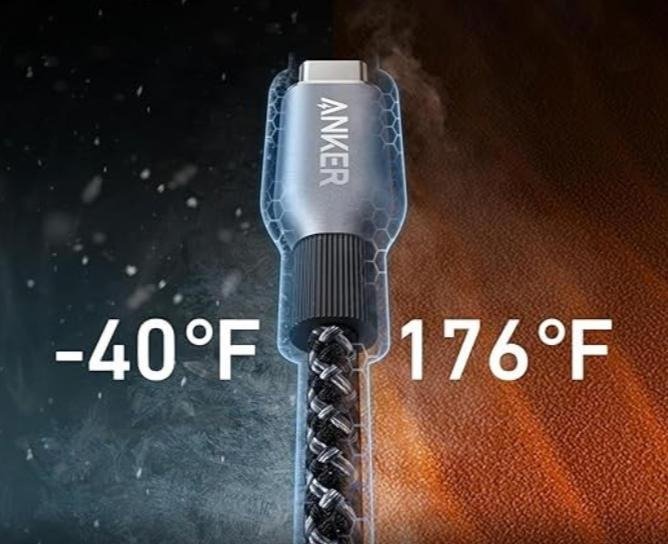
A cordless charger can significantly reduce the number of cables you need on your desk or bedside table. By placing your phone or other devices on a cordless charger, you minimize wear and tear on cables and avoid daily tangling issues. For those looking for a reliable solution, an Anker charger offers excellent performance and durability, combining convenience with fast charging. While wireless chargers are not a complete replacement for all devices, they can dramatically simplify charging routines. Using a cordless charger for frequently charged devices is a practical step toward a tangle-free environment.

The Best Situations for Wireless vs Wired Charging
Wireless charging works best for devices you charge repeatedly throughout the day. It is ideal for phones on desks, bedside tables, or living room setups. Wired charging remains preferable when you need maximum speed or for devices that support high-wattage charging. Combining both methods can optimize convenience and efficiency. Understanding the advantages of each approach helps maintain a clean, organized, and functional charging setup.
Conclusion
Cables may seem simple, but managing them properly can save time, reduce frustration, and extend their lifespan. With proper rolling, gentle untangling techniques, smart storage, and occasional wireless solutions, you can eliminate the daily battle with knots. Investing a little effort into these habits ensures that your charging setup is always ready for use. Whether at home, work, or on the go, a tangle-free environment improves efficiency and convenience. Start implementing these methods today, and enjoy a neat, organized, and hassle-free charging experience.